


Why You Can’t Find Anyone at Work (And How to Fix It)
Struggling to reach people or move work forward in a remote team? Learn what collaboration latency is, how to spot it, and practical ways to fix it with real-time presence and shared spaces.
Key Takeaways
Latency slows decisions
Collaboration latency is the delay between asking for help and getting it, and it quietly slows remote decisions.
Look for clear signals
Long threads, constant quick syncs, and blocked tasks are practical signs your team cannot reach each other efficiently.
Presence reduces waiting
Real-time presence and persistent shared spaces help people see who is available and resolve blockers in one interaction.
Train in shared spaces
Immersive training and onboarding work best when learners can easily ask questions and see colleagues nearby.
Start with one team
Begin by improving collaboration for one latency-heavy team, then expand successful practices across your organisation.
Understanding collaboration latency in remote work
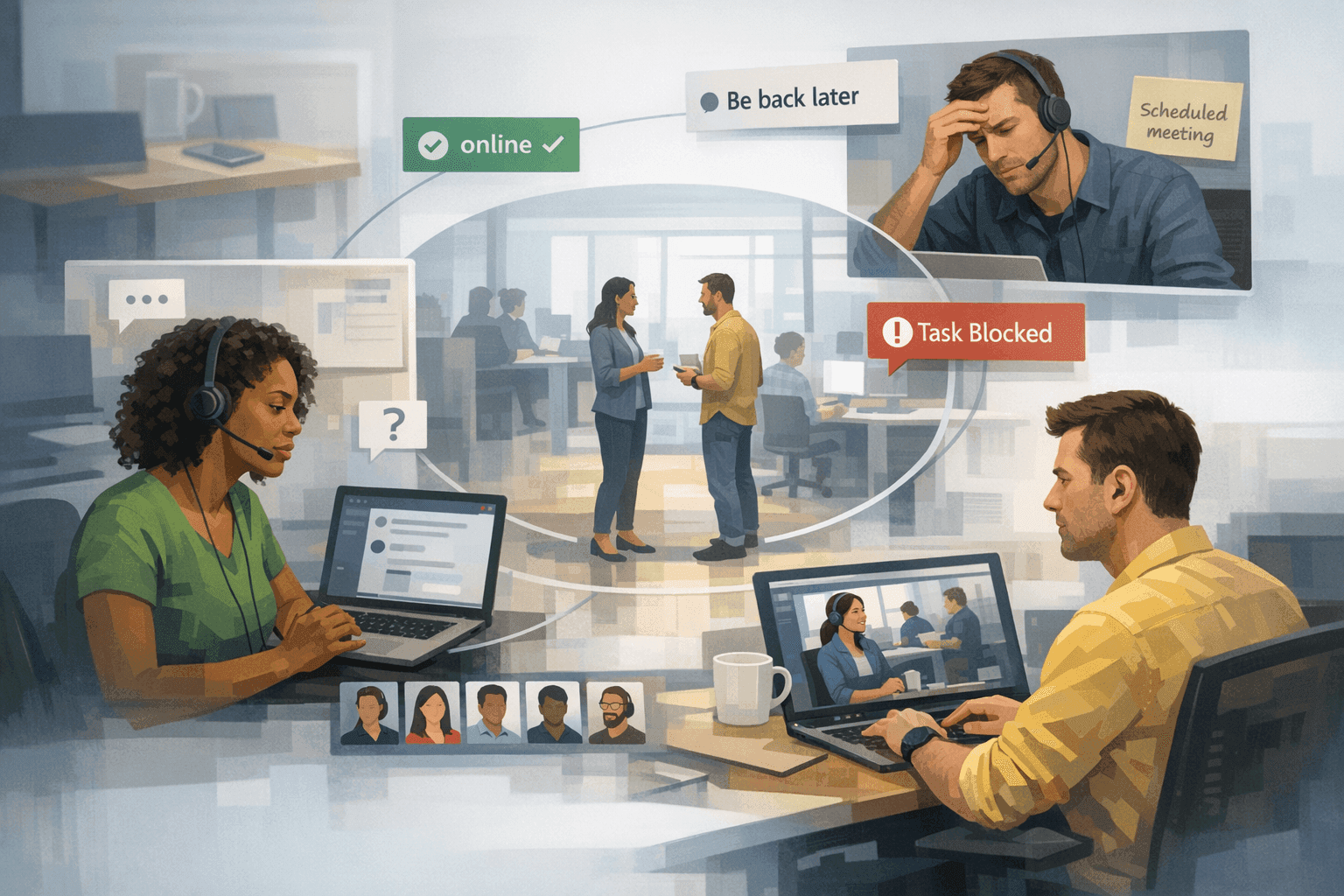
Collaboration latency is the hidden delay between asking for help and actually getting it, and it quietly slows remote teams down. Instead of walking over to someone’s desk, you send a message, wait, follow up, and often schedule a meeting. The work itself may be simple, but the waiting time balloons.
In many remote setups, the path from “I’m blocked” to “we’ve decided” involves a chat message, an email, a calendar invite, and a rescheduled call when someone can’t make it. Each hop adds friction, and that friction compounds across a week of work.
Collaboration latency is not about poor effort or weak talent; it’s about the mechanics of how information moves through your organisation. When every interaction has to become a scheduled event, decisions that could take minutes stretch into days.
Think of the last time a small question about requirements, access, or priorities stalled a project. The answer itself probably took under five minutes once everyone was finally on the call. The rest of the delay was pure latency: time spent waiting for people to be in the same conversation at the same moment.
Identifying signs of collaboration latency in your team
To reduce collaboration latency, you first need to notice how it shows up in daily work. Many teams normalise delays and don’t realise how much time they are losing to simple coordination overhead.
Certain patterns are strong signals that your team can’t reliably find each other at the right moment. These indicators show up across tools and departments, regardless of which products you use.
- Long chat or email threads for questions that could be answered in a short conversation.
- Frequent “quick sync” meetings added to the calendar just to clarify one or two points.
- Tasks sitting in “blocked” states because someone is waiting on a response or approval.
- People escalating issues not because they’re complex, but because they can’t get time with the right person.
- Team members saying “I didn’t want to bother them” or “I wasn’t sure who was available,” so they waited.
When these patterns are common, the root problem is rarely effort or intent. It is that people cannot see who is available, where the work is happening, or how to approach the right colleague without triggering a full, scheduled meeting.
Prioritising solutions to collaboration latency
Once you recognise collaboration latency, it is tempting to add more meetings or another messaging channel. That often increases noise without fixing the underlying problem: people still can’t tell who is available to help right now.
A more effective approach is to tackle the issue in a deliberate order, moving from clarity to behaviour to supporting technology. This keeps you focused on the highest-impact changes instead of simply adding more tools.
- Map where latency actually occurs by tracking how long common questions sit unanswered and where work most often gets blocked.
- Clarify response expectations for different channels so people know when a message is considered time-sensitive versus asynchronous.
- Adjust team norms to favour lightweight, live conversations for unblockers instead of defaulting to long written threads.
- Introduce tools that show real-time presence, so people can see who is around and willing to talk before they schedule a meeting.
- Continually review how these changes affect decision speed and refine your practices based on what you observe.
The goal is not constant real-time communication. The goal is to make genuinely time-sensitive collaboration fast again, while keeping deep work protected and asynchronous work truly asynchronous.
How real-time presence changes collaboration dynamics
Real-time presence means you can see at a glance who is available, what they are focused on, and whether it is appropriate to approach them. This recreates part of what made co-located offices efficient: knowing when it’s fine to walk over and ask a question.
With real-time presence, you don’t fire messages into a void and hope for a reply. You can move directly to someone who is clearly available and resolve the issue in one short interaction instead of spreading it across a day of disconnected messages.
Compared to traditional communication methods that hide availability behind status icons or calendar blocks, a strong presence layer makes availability tangible. People can cluster naturally around topics, join existing conversations when relevant, and leave when they are done.
When you evaluate real-time presence approaches, look for three things: visibility (you can tell who is there and how interruptible they are), ease of approach (joining a conversation is simple and low-friction), and respect for focus (people can signal when they should not be disturbed).
Using persistent shared spaces to keep work moving
Persistent shared spaces are digital places your team returns to, rather than links that begin and end isolated meetings. They stay available all the time, so people can drop in, see who is present, and continue work where they left off.
In a persistent space, context does not get reset at the start of every call. The people, work artefacts, and conversations associated with a project or team remain anchored to the same place, making it easier to resume collaboration quickly.
Compared with spinning up new meeting links for every topic, persistent spaces support ongoing collaboration. People can gather for a quick decision, leave, and know that the “room” is still there when the next question arises, without new links or scheduling.
At this point, it becomes natural to say “let’s meet in our product space” instead of “I’ll send a calendar invite.” That small shift reduces friction: people know where to go when they need others, even if no formal meeting is on the calendar.
The role of spatial interaction in smoother collaboration
Spatial interaction is the experience of moving around a shared environment and having conversations happen in different parts of that environment. Instead of everyone being fixed in a single meeting layout, people can approach specific colleagues or groups as needed.
This more closely mirrors how interaction works in a physical office. You might step over to the product area to clarify a requirement, then move toward a different cluster of teammates to review a design, all without scheduling separate meetings for each conversation.
When collaboration tools support spatial interaction, they create room for different activities to coexist without interfering with one another. Two or three small conversations can occur at the same time, and people can move between them based on what they need at the moment.
Spatial interaction helps reduce collaboration latency because it removes the need to serialise every conversation into distinct calls. Instead, people fluidly navigate between discussions, resolving blockers in a few minutes rather than waiting for the next open slot on the calendar.
Best practices for immersive training and onboarding in remote teams
Training and onboarding are particularly vulnerable to collaboration latency, because new hires depend on fast feedback and clear guidance. If every question requires a scheduled call, their early momentum can evaporate quickly.
Immersive training and onboarding approaches keep learners in close, live contact with colleagues, while still working remotely. The emphasis is on interaction, shared attention, and a sense of being in the same place, even when everyone is distributed.
- Combine structured sessions with informal drop-in times so new hires can ask questions the moment they get stuck.
- Anchor onboarding activities in persistent spaces dedicated to each cohort or role, so resources and people are easy to find.
- Use real-time presence to pair new team members with experienced colleagues for short, targeted problem-solving sessions.
- Design training activities that involve small-group discussion, not just one-way presentations, to encourage active participation.
- Make it easy to move from a shared presentation to quick side conversations when someone needs deeper clarification.
These practices reduce the feeling of isolation that often comes with remote onboarding. New colleagues can see that others are nearby and approachable, instead of wondering when it is acceptable to interrupt.
Making virtual events and sales kickoffs more effective
Virtual events and sales kickoffs concentrate a lot of information and energy into a short timeframe. Collaboration latency shows up here as disengaged participants, shallow interaction, and questions that never quite reach the right person.
Events become more effective when participants can navigate the experience, talk naturally with colleagues, and gather around specific topics rather than sitting through a single stream of content. This is where shared spaces, real-time presence, and spatial interaction work together.
In a strong setup, participants can see where sessions or discussions are happening and move into them, instead of waiting for a host-controlled agenda. Side conversations, networking, and follow-up questions can happen without pulling the entire group into yet another meeting.
If you want practical ideas on structuring a distributed sales gathering, the article on how to run a virtual sales kickoff people actually remember explores event design and engagement techniques in more depth.
Next steps for your remote team (including how Globaly helps)
Once you see how collaboration latency affects your organisation, the question becomes how to change your environment so people can actually find each other when it matters. This is where a platform designed around real-time presence and persistent shared spaces can help.
Globaly focuses specifically on this problem. It provides real-time presence, persistent shared spaces, spatial interaction, immersive training and onboarding, and support for virtual events and sales kickoffs in a shared environment accessed through a standard browser.
- Spend one week informally tracking where work gets blocked and how often people wait for responses or meetings.
- Decide which teams or projects suffer most from latency and commit to improving their experience first.
- Define norms for when to use asynchronous channels versus live conversations to unblock work quickly.
- Introduce a shared environment like Globaly for those teams so they can see who is available and move directly to them.
- Iterate on your setup based on feedback, gradually expanding use of real-time presence and persistent spaces across more of your organisation.
To explore how Globaly’s Free Experience, Pay As You Go, or plan options could support your collaboration patterns, review the overview on the services page. From there, you can decide how to align your team’s workflows with the kind of interaction you want to encourage.
